- Home Page /
- Electronics /
- Computer Accessories /
- Computer Accessories & Peripherals /
- Keyboards, Mice & Accessories /
- Mice /
- Lychee Wireless Optical Pocket Pen Mouse, 2.4...
0 ratings

Item #:
23079380
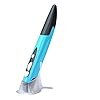
Lychee Wireless Optical Pocket Pen Mouse, 2.4GHz USB Wireless Optical Mini Air Mouse for PC Laptop Notebook Computer Mac (Red)
Item #:
23079380
KES 3023
Price Details
Excluding Shipping & Custom charges ( Shipping and custom charges will be calculated on checkout )
*All items will import from US
0 ratings
Write a review
In stock
 Imported from USA store
QTY:
Order now and get it around Monday, June 29
Secured transaction
Ubuy works hard to protect your security and privacy. Our advanced payment security system ensures confidentiality by encrypting your information during transmission using AES (Advanced Encryption Standards) and SSL (Secure Socket Layer) protocols. Your payment details are 100% secure as we do not share your payment details with third party sellers.
Our Top Logistics Partners


Ultra-portable pen mouse that fits in your pocket and can be used anywhere you like

Fast
Shipping

Free
Return*

Secure Packaging

100% Original Products

PCI DSS Compliance

ISO 27001 Certified


Note: Step Down Voltage Transformer required for using electronics products of US store (110-120). Recommended power converters Buy Now.


What Stands Out
Compact Design
The pen mouse's pocket-sized design ensures portability, making it easy to carry for traveling professionals or students who require a functional and stylish mouse on the go.
Adjustable DPI
With 800/1200/1600 DPI settings, this mouse allows users to customize sensitivity for precise navigation, catering to both casual users and those needing accuracy for detailed tasks.
Wireless Convenience
Utilizing a 2.4GHz wireless connection, this mouse provides clutter-free movement without cords, enhancing productivity and comfort, especially in tight workspaces or while presenting.
Product Details
| Item Weight | 0.3 lbs (140 grams) |
Who Should Buy?

-
Students and Educators
Ideal for students and teachers needing a portable device for notes, presentations, or digital whiteboarding.
-
Traveling Professionals
Perfect for business travelers seeking a compact, lightweight alternative to traditional mice without sacrificing functionality.
-
Graphic Designers
Useful for designers who require precision and versatility in a compact form factor for on-the-go creativity.

-
Heavy Gamers
Not suitable for gamers seeking high performance and responsiveness in a gaming mouse, especially during competitive play.
-
Desktop Users
Less ideal for users with fixed desktop setups that benefit from larger, high-performance mice with more features.
-
Accessibility Needs
May not cater well to users with specific accessibility requirements that prefer traditional ergonomic mouse designs.
Product Description
Lychee Wireless Optical Pocket Pen Mouse, 2.4GHz USB Wireless Optical Mini Air Mouse for PC Laptop Notebook Computer Mac (Red)
Have any Query? Chat with us
Customer Questions & Answers
-
Question:
What is the DPI range of the lychee Wireless Optical Pocket Pen Mouse?
Answer: The lychee Wireless Optical Pocket Pen Mouse features an adjustable DPI range of 800, 1200, and 1600 DPI. This flexibility allows users to switch between different sensitivity levels according to their preferences, making it ideal for various tasks such as precise graphic design work, general browsing, or even handwriting recognition. By adjusting the DPI, you can easily manage speed and accuracy, catering to your specific needs whether you’re drafting documents or enjoying casual gaming. -
Question:
How does the wireless connectivity work with the lychee pen mouse?
Answer: The lychee Wireless Optical Pocket Pen Mouse utilizes 2.4GHz wireless technology for seamless connectivity. It comes with a USB receiver that plugs into your computer, eliminating the need for messy cables. This allows for a hassle-free experience as you can control your PC from a distance, making it perfect for presentations or when you want to sit back while browsing the internet. Simply plug in the USB receiver, and you’re ready to go without any software installation required. -
Question:
Is this pen mouse suitable for both left and right-handed users?
Answer: Yes, the lychee Wireless Optical Pocket Pen Mouse is designed to be ambidextrous, making it suitable for both left and right-handed users. Its ergonomic design ensures comfort and ease of use regardless of your hand preference. This versatility makes it an ideal choice for shared workspaces or multi-user environments where different users may have different hand preferences. Additionally, its compact size enhances portability, making it perfect for on-the-go computing. -
Question:
Can the pen mouse be used on any surface?
Answer: The lychee Wireless Optical Pocket Pen Mouse is optimized for use on a variety of surfaces, including desks, mouse pads, and even some textured surfaces. However, for optimal performance, it is recommended to use it on a smooth and non-reflective surface. The optical sensor tracks movement accurately, enabling precise control for various applications, from drafting and sketching to navigating your PC interface seamlessly. -
Question:
What are practical applications for the lychee pen mouse?
Answer: The lychee Wireless Optical Pocket Pen Mouse can serve numerous practical applications, such as graphic design, drafting, or digital art, thanks to its pen-like design and adjustable DPI. It's also suitable for regular computing tasks, offering ergonomic benefits during extended use. Whether you're managing spreadsheets, creating presentations, or navigating digital workspaces, its versatility and comfort enhance productivity, ensuring you're equipped for diverse computing needs. -
Question:
How long does the battery last for the wireless pen mouse?
Answer: The lychee Wireless Optical Pocket Pen Mouse is designed for long-lasting performance, with battery life that can vary based on usage. Typically, it can operate for several weeks or months, depending on how frequently it's used. To extend its battery life, switch it off when not in use. Its efficient power management ensures you won't need to recharge frequently, making it a reliable choice for daily use and travel. -
Question:
Is the pen mouse compatible with Macs or just PCs?
Answer: The lychee Wireless Optical Pocket Pen Mouse is compatible with both PCs and Macs. The USB receiver allows for a quick plug-and-play setup on various operating systems without the need for additional drivers or software. This compatibility makes it a versatile tool for users who switch between different devices, ensuring a seamless transition whether you're using Windows, macOS, or other platforms. -
Question:
How does the ergonomics of the pen mouse benefit users?
Answer: The ergonomic design of the lychee Wireless Optical Pocket Pen Mouse enhances user comfort by fitting naturally in hand, reducing strain during prolonged usage. It allows for a more relaxed grip, making it ideal for tasks that require precision and control. This thoughtful design is especially beneficial for graphic artists, writers, or anyone spending extended hours on their computers, providing support that can minimize discomfort and fatigue. -
Question:
Can I use the pen mouse for gaming?
Answer: Yes, the lychee Wireless Optical Pocket Pen Mouse can be used for casual gaming. The adjustable DPI settings allow you to tailor your sensitivity to suit different gaming scenarios. While it may not substitute for high-performance gaming mice, its precision and comfortable grip offer a satisfying experience for casual games or strategy-based titles. It can be an excellent choice for users looking for a multifunctional tool that covers both work and play. -
Question:
Where can I buy the lychee Wireless Optical Pocket Pen Mouse in Kenya?
Answer: You can buy the lychee Wireless Optical Pocket Pen Mouse on Ubuy in Kenya. Ubuy offers a convenient shopping experience, featuring various tech gadgets and electronics, including this versatile pen mouse. You can explore product details, reviews, and more to make an informed purchase decision. With Ubuy, you can enjoy a hassle-free ordering process, ensuring you get your hands on this unique device with ease.
lychee Mice Editorial Review
The Pen Mouse is a great alternative to traditional mice for those who do a lot of design, drafting, or computer work, as it is easy to install and use, comes with two extra adapters, and includes a handy stand. The mouse works well with Surface Pro 3 running Linux Mint and is great for pixel art. However, it does not have a middle-mouse wheel click and may take some getting used to for those more familiar with a Wacom tablet. Additionally, the ergonomic shape of the pen may not be the most comfortable for everyone.
Customer Reviews & Ratings
1 customers ratings
-
5 Star
100%
-
4 Star
0%
-
3 Star
0%
-
2 Star
0%
-
1 Star
0%
Review this product
Share your thoughts with other customers
Pros
- -Works just like a mouse -Buttons are well-located -Pen weight feels perfect when battery is installed and in use (really light when empty) -Sturdy construction
Cons
- -No middle-mouse wheel click! Basically, it's a two-button mouse -Maybe not the most comfortable shape for a pen -Coming from a Wacom Tablet, you want to believe this has tilt and pressure functions--it's a mouse, it doesn't
Product Price History
Important information
- Limitations : For products shipped internationally, please note that any manufacturer warranty may not be valid; manufacturer service options may not be available; product manuals, instructions, and safety warnings may not be in destination country languages; the products (and accompanying materials) may not be designed in accordance with destination country standards, specifications, and labeling requirements; and the products may not conform to destination country voltage and other electrical standards (requiring use of an adapter or converter if appropriate). The recipient is responsible for assuring that the product can be lawfully imported to the destination country. When ordering from Ubuy or its affiliates, the recipient is the importer of record and must comply with all laws and regulations of the destination country.
- Not all the products listed on Ubuy are for sale, as Ubuy is a global search engine. Products are subject to export/trade regulations.
KES 3023
Order now and get it around Monday, June 29
This item is not restrict in my country.(Please click on above link if this item is not restrict in your country, So our team will review and allow.)
QTY:
Secured transaction
Ubuy works hard to protect your security and privacy. Our advanced payment security system ensures confidentiality by encrypting your information during transmission using AES (Advanced Encryption Standards) and SSL (Secure Socket Layer) protocols. Your payment details are 100% secure as we do not share your payment details with third party sellers.
Our Top Logistics Partners
Fastest cross-border delivery
Features & Benefits
- Mini size: 5.7 x 0.6 x 1 inches
- DPI adjustable: 800/1200/1600
- Wireless 2.4G touch screen pen mouse with USB receiver up to 33ft effective distance
- Power saving: Auto sleep function
- Easy to use with good button placement for left and right mouse clicks
- Compatible with Windows, Android, Mac and more