- Home Page /
- Books /
- Computers & Technology /
- Software /
- Enterprise Applications /
- Business Intelligence Tools /
- Power Pivot and Power BI: The Excel Users Gui...

Item #:
59355995
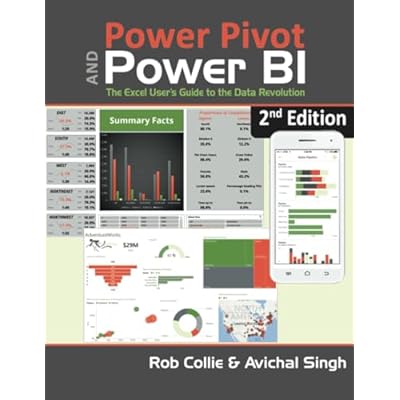
Power Pivot and Power BI: The Excel Users Guide to DAX, Power Query, Power BI & Power Pivot in Excel 2010-2016 Second edition
Item #:
59355995
KES 6898
Price Details
Excluding Shipping & Custom charges ( Shipping and custom charges will be calculated on checkout )
*All items will import from US
0 ratings
Write a review
In stock
 Imported from USA store
QTY:
Order now and get it around Saturday, June 27
Secured transaction
Ubuy works hard to protect your security and privacy. Our advanced payment security system ensures confidentiality by encrypting your information during transmission using AES (Advanced Encryption Standards) and SSL (Secure Socket Layer) protocols. Your payment details are 100% secure as we do not share your payment details with third party sellers.
Our Top Logistics Partners


Produce new kinds of reports and analyses

Fast
Shipping

Free
Return*

Secure Packaging

100% Original Products

PCI DSS Compliance

ISO 27001 Certified


Note: Step Down Voltage Transformer required for using electronics products of US store (110-120). Recommended power converters Buy Now.


What Stands Out
Comprehensive Coverage
This guide thoroughly covers DAX, Power Query, and Power BI, ensuring users can harness advanced data analysis and visualization techniques effectively across Excel versions 2010-2016.
Excel Integration
Designed specifically for Excel users, this book seamlessly integrates Power BI and Power Pivot concepts, making it easier for readers to apply their existing Excel skills in advanced data scenarios.
User-Friendly Approach
Written in an accessible style, this guide simplifies complex topics, empowering users with practical examples and step-by-step instructions to enhance their data analytics capabilities.
Product Details
| Item Weight | 1 lbs (450 grams) |
Who Should Buy?

-
Business Analysts
Ideal for analysts needing to analyze complex data and create insightful visualizations using Power BI and Excel.
-
Excel Users
Perfect for users familiar with Excel who want to enhance their data analysis skills with advanced tools like DAX.
-
Data Professionals
Great for data professionals looking to leverage Power Pivot for efficient data modeling and reporting.

-
Beginners
Not suitable for complete beginners as it requires a basic understanding of Excel and data analysis concepts.
-
Advanced Developers
Less beneficial for experienced developers already familiar with DAX and Power BI, seeking advanced techniques or customization.
-
Non-technical Users
Users with minimal technical skills may struggle with the concepts and tools presented in the guide.
Product Description
Power Pivot and Power BI: The Excel Users Guide to DAX, Power Query, Power BI & Power Pivot in Excel 2010-2016 Second edition
Have any Query? Chat with us
Customer Questions & Answers
-
Question:
What is Power Pivot and how is it used in Excel?
Answer: Power Pivot is an Excel add-in that allows users to perform data analysis and create sophisticated data models right within Excel. It enables the importation of large quantities of data from multiple sources and facilitates complex calculations and data relationships using DAX (Data Analysis Expressions). This functionality is useful for business analysts and anyone needing to consolidate and visualize data efficiently. For example, a marketing analyst can pull data from various campaigns, connect them through relationships, and create comprehensive pivot tables and charts for insights. -
Question:
What is the significance of DAX in Power BI and Power Pivot?
Answer: DAX (Data Analysis Expressions) is a powerful formula language used in Power BI and Power Pivot for creating custom calculations and aggregations. It allows users to perform complex mathematical operations on data, enhancing analytical capabilities. Understanding DAX is crucial for users who want to unlock the full potential of their data models. For instance, a financial analyst could use DAX to create year-over-year growth metrics tailored to specific business scenarios, allowing for more informed decision-making. -
Question:
Can I use Power Query with Power Pivot and Power BI?
Answer: Yes, Power Query is designed to work seamlessly with Power Pivot and Power BI. Power Query allows users to connect, import, and transform data from various sources, making it easier to prepare data for analysis in Power Pivot or visualization in Power BI. For example, you can use Power Query to clean and shape data from multiple Excel sheets, then load it into Power Pivot for complex calculations and reporting, ensuring your data analysis is both effective and straightforward. -
Question:
What are the key features of Power BI?
Answer: Power BI offers a robust set of features including real-time data visualization, interactive dashboards, advanced analytics, and sharing capabilities. It allows users to visualize insights from their data through intuitive reports and dashboards that can be customized to suit specific needs. For instance, a sales manager could create a dashboard that tracks sales performance in real-time, enabling quicker responses to market changes and empowering teams with actionable insights. -
Question:
How can I get started with Power Pivot and Power BI?
Answer: To get started with Power Pivot and Power BI, it’s recommended to download the necessary software and familiarize yourself with its interface and features through tutorial videos and documentation. Many online platforms offer courses that cover the basics and advanced techniques in DAX, Power Query, and data modeling. For example, a project manager could take an online course to learn how to develop a data model for project tracking, which can significantly enhance their reporting capabilities. -
Question:
Is Power Pivot compatible with various versions of Excel?
Answer: Yes, Power Pivot is compatible with Excel versions 2010 through 2016, making it accessible for many users. In Excel 2010 and 2013, Power Pivot is available as an add-in, while it is built-in for Excel 2016 and later. This compatibility allows users to leverage powerful data analysis features regardless of the version they use. For instance, a user working in an organization using Excel 2013 can still take full advantage of Power Pivot features to create complex data models and analyses. -
Question:
What types of data sources can I connect to using Power Query?
Answer: Power Query supports a wide array of data sources including Excel files, CSV files, databases, cloud services, and web pages. This diverse connectivity allows users to gather data from various platforms and consolidate it for analysis in Power Pivot or Power BI. For example, a business intelligence analyst could use Power Query to import customer data from a SQL database and combine it with Excel sales data for comprehensive insights. -
Question:
What are some best practices for using DAX in Power Pivot?
Answer: When using DAX in Power Pivot, it’s crucial to understand the concept of context—row context and filter context play vital roles in how calculations are performed. It's advisable to write clear, maintainable formulas and to leverage variables for complex calculations to enhance performance and readability. For instance, an HR analyst could use DAX to create calculated fields for employee performance metrics, allowing for clearer comparisons and analysis in reports. -
Question:
What are the differences between Power Pivot and Power BI?
Answer: Power Pivot is primarily an Excel add-in focused on data modeling, whereas Power BI is a standalone business analytics tool designed for interactive visualizations and sharing reports. Power BI offers a wider range of visualization options and the ability to share and collaborate on metrics seamlessly online. For example, a team could model data in Power Pivot and then publish interactive reports in Power BI, enabling stakeholders to explore data insights dynamically. -
Question:
Where can I buy Power Pivot and Power BI: The Excel User's Guide to DAX, Power Query, Power BI & Power Pivot in Excel 2010-2016 Second edition?
Answer: You can buy 'Power Pivot and Power BI: The Excel User's Guide to DAX, Power Query, Power BI & Power Pivot in Excel 2010-2016 Second edition' from Ubuy. Ubuy offers a reliable platform with a variety of resources for acquiring books and software related to Excel, Power BI, and related subjects, making it easy for you to access valuable educational materials.
Business Intelligence Tools Editorial Review
The "Power Pivot and Power BI" book is an essential guide for Excel users interested in learning about DAX, Power Query, Power BI, and Power Pivot. Written by Avi Singh, who has extensive knowledge in the subject, this book breaks down complex concepts into easy-to-understand terms. Singh's expertise is evident in his ability to simplify the material, making it accessible to readers. Additionally, he offers an online course and YouTube videos that complement the content of the book, providing users with various resources to assist in their learning journey. However, it's important to note that the second edition of this book is a reprint of the 2016 version, with no updates or revisions. This implies that the content is seven years old and may not cover the latest versions and features of Power BI. Some customers have expressed dissatisfaction with the quality of the book, citing issues such as poorly offset margins and missing pages. Additionally, one customer mentioned the absence of colored pages, which were praised in other reviews. On the positive side, readers commend the book's illustrations and the high-quality gloss paper used. The writing style is praised for its fluidity and enthusiasm, with clear organization. Customers appreciate the clarity provided by the authors and note that the book is a valuable reference for professionals in various fields, not just business applications or sales tracking. Overall, despite some concerns regarding the age of the content and quality issues, recommending this book as a valuable resource for learning DAX, Power Query, Power BI, and Power Pivot in Excel.
Customer Reviews & Ratings
1 customers ratings
-
5 Star
100%
-
4 Star
0%
-
3 Star
0%
-
2 Star
0%
-
1 Star
0%
Review this product
Share your thoughts with other customers
Pros
- Easy-to-understand guide
- Accompanied online course and YouTube videos
- Clear organization and writing style
- Valuable reference for professionals in different fields
Cons
- Content is seven years old and may not cover the latest versions and features of Power BI
Product Price History
Important information
- Limitations : For products shipped internationally, please note that any manufacturer warranty may not be valid; manufacturer service options may not be available; product manuals, instructions, and safety warnings may not be in destination country languages; the products (and accompanying materials) may not be designed in accordance with destination country standards, specifications, and labeling requirements; and the products may not conform to destination country voltage and other electrical standards (requiring use of an adapter or converter if appropriate). The recipient is responsible for assuring that the product can be lawfully imported to the destination country. When ordering from Ubuy or its affiliates, the recipient is the importer of record and must comply with all laws and regulations of the destination country.
- Not all the products listed on Ubuy are for sale, as Ubuy is a global search engine. Products are subject to export/trade regulations.
KES 6898
Order now and get it around Saturday, June 27
This item is not restrict in my country.(Please click on above link if this item is not restrict in your country, So our team will review and allow.)
QTY:
Secured transaction
Ubuy works hard to protect your security and privacy. Our advanced payment security system ensures confidentiality by encrypting your information during transmission using AES (Advanced Encryption Standards) and SSL (Secure Socket Layer) protocols. Your payment details are 100% secure as we do not share your payment details with third party sellers.
Our Top Logistics Partners
Fastest cross-border delivery
Features & Benefits
- Power Pivot and Power BI book is the first to tackle DAX formulas from the perspective of the Excel audience
- Techniques presented allow users to produce results in hours
- Pattern-like techniques and best practices developed over two years of onsite training
- Covers new features introduced with Office 2015