- Home Page /
- Arts Crafts & Sewing /
- Scrapbooking & Stamping Supplies /
- Die-Cutting & Embossing /
- Die-Cut Machines /
- Cricut Explore Air 2 - A DIY Cutting Machine ...
0 ratings

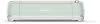

Cricut Explore Air 2 - A DIY Cutting Machine for All Crafts, Create Customized Cards, Home Decor & More, Bluetooth Connectivity, Compatible with iOS,
0 ratings
Write a review
Out of stock
 Imported from USA store
Secured transaction
Ubuy works hard to protect your security and privacy. Our advanced payment security system ensures confidentiality by encrypting your information during transmission using AES (Advanced Encryption Standards) and SSL (Secure Socket Layer) protocols. Your payment details are 100% secure as we do not share your payment details with third party sellers.
Our Top Logistics Partners


Start your Infusible Ink projects with everything you need in one bundle

Fast
Shipping

Free
Return*

Secure Packaging

100% Original Products

PCI DSS Compliance

ISO 27001 Certified


Note: Step Down Voltage Transformer required for using electronics products of US store (110-120). Recommended power converters Buy Now.


What Stands Out
Versatile Cutting
Effortlessly create customized cards, home decor, and numerous crafts with precise cuts, making it ideal for both novices and experts in DIY projects.
Bluetooth Connectivity
Enjoy seamless wireless design and cutting from your mobile devices, enhancing convenience and flexibility for crafting anytime, anywhere.
Multi-Platform Support
Compatible with iOS, Android, Windows, and Mac, this machine ensures a wide accessibility for users regardless of their preferred devices.
Product Details
| Item Weight | 21 lbs (9.53 kg) |
Who Should Buy?

-
Crafters
Ideal for DIY enthusiasts who enjoy creating personalized crafts, cards, and home decor with precision cutting.
-
Small Business Owners
Perfect for entrepreneurs looking to produce custom designs and products efficiently for their small business ventures.
-
Teachers
Useful for educators wanting to create learning materials, decorations, or personalized gifts for students and classroom activities.

-
Beginners
Individuals unfamiliar with design software or crafting may find the learning curve challenging and overwhelming.
-
Heavy-Duty Users
Not suitable for professional crafters who require robust, industrial-level machines for constant, large-scale production.
-
Budget Shoppers
Those looking for a low-cost crafting solution may find the price point higher than basic crafting tools.
Product Description
Cricut Explore Air 2 - A DIY Cutting Machine for All Crafts, Create Customized Cards, Home Decor & More, Bluetooth Connectivity, Compatible with iOS, Android, Windows & Mac,
Have any Query? Chat with us
Customer Questions & Answers
-
Question:
What can I create with the Cricut Explore Air 2?
Answer: The Cricut Explore Air 2 is a versatile cutting machine that allows you to create a wide range of projects. From customized cards and invitations to intricate home decor and personalized gifts, the machine can handle various materials like cardstock, vinyl, and fabric. Its precise cutting capabilities make it ideal for DIY enthusiasts looking to explore creativity. Whether you are crafting for special occasions or designing everyday home items, this machine opens up a world of possibilities. -
Question:
How does the Bluetooth connectivity work with the Cricut Explore Air 2?
Answer: Bluetooth connectivity allows the Cricut Explore Air 2 to wirelessly connect to your computer or mobile device. This means you can send your designs directly to the machine without the need for a cluttered workspace and tangled wires. Simply use the Design Space app to create or upload your designs, and your Cricut machine will seamlessly cut them out. This feature enhances flexibility and convenience, making it suitable for both home and professional crafting. -
Question:
What materials can the Cricut Explore Air 2 cut?
Answer: With the Cricut Explore Air 2, you can cut a myriad of materials including cardstock, vinyl, iron-on, and even more intricate materials like leather and specialty paper. The machine can handle materials up to 12 inches wide and various thicknesses, allowing for a diverse range of creativity. This flexibility makes it a popular choice among crafters who undertake diverse projects, from scrapbooking to home decor, providing a comprehensive crafting experience. -
Question:
Is the Cricut Explore Air 2 beginner-friendly?
Answer: Yes, the Cricut Explore Air 2 is designed to be user-friendly, making it suitable for beginners as well as experienced crafters. The included Design Space software offers a range of templates and projects to get you started, along with tutorials that guide you through the process. Many users find that they can quickly learn how to operate the machine and begin creating within a short time, making it an accessible option for anyone looking to start crafting. -
Question:
What software do I need to use with the Cricut Explore Air 2?
Answer: To use the Cricut Explore Air 2, you will primarily utilize the Cricut Design Space software. This cloud-based tool allows you to design and customize your projects, access a library of images and fonts, and send your designs to the machine. It is compatible with both Windows and Mac computers, as well as iOS and Android mobile devices. This software integration makes it easy to manage and execute your crafting projects efficiently. -
Question:
Can the Cricut Explore Air 2 write in addition to cutting?
Answer: Absolutely, the Cricut Explore Air 2 has a writing feature that enables it to add written elements to your projects. By using special pens designed for this machine, you can create handwritten effects on cards, labels, and other items. This multi-functionality allows you to enhance your projects with personalized messages and designs, creating a professional look without the need for additional tools. -
Question:
How versatile is the Cricut Explore Air 2 for different crafts?
Answer: The versatility of the Cricut Explore Air 2 makes it an exceptional tool for various crafts, from paper crafting to fabric projects. You can create everything from custom t-shirts and mugs to decorative wall art, ensuring that the machine adapts to your style and needs. Additionally, with its ability to cut and write, as well as its compatibility with multiple materials, it is perfect for anyone looking to explore different crafting avenues. -
Question:
Does the Cricut Explore Air 2 come with templates or designs?
Answer: Yes, the Cricut Explore Air 2 comes with access to the Cricut Design Space library, which features thousands of templates, images, and fonts for users to choose from. This extensive library ensures that you can find inspiration for any project and easily customize designs to fit your personal style. The availability of countless resources significantly enhances the crafting experience and provides a head start for new users. -
Question:
Where can I buy the Cricut Explore Air 2?
Answer: You can buy the Cricut Explore Air 2 from Ubuy in Kenya. Ubuy offers a convenient online shopping experience, allowing you to browse a range of products and find the specific Cricut machine you need. With helpful customer service and detailed product descriptions, Ubuy ensures a seamless purchasing process for all your crafting needs.
Cricut Die-Cut Machines Editorial Review
The Cricut Explore Air 2 Blue Foil Transfer Set is a versatile machine that can handle cutting vinyl plastic, as well as other materials such as cardboard and frosting sheets. It comes with 24 foil transfer sheets, 8 sheets of tape strings, a machine mat, and 30 Kraftboard sheets in black. However, there have been reported issues with software crashes and the need for internet access. Despite this, it is a popular machine with plenty of online tutorials available for those who get stuck.
Customer Reviews & Ratings
1 customers ratings
-
5 Star
100%
-
4 Star
0%
-
3 Star
0%
-
2 Star
0%
-
1 Star
0%
Review this product
Share your thoughts with other customers
Pros
- Versatile and easy to use
- Comes with a variety of materials
- Plenty of online tutorials available
Cons
- Reported software crashes
Product Price History
Important information
- Limitations : For products shipped internationally, please note that any manufacturer warranty may not be valid; manufacturer service options may not be available; product manuals, instructions, and safety warnings may not be in destination country languages; the products (and accompanying materials) may not be designed in accordance with destination country standards, specifications, and labeling requirements; and the products may not conform to destination country voltage and other electrical standards (requiring use of an adapter or converter if appropriate). The recipient is responsible for assuring that the product can be lawfully imported to the destination country. When ordering from Ubuy or its affiliates, the recipient is the importer of record and must comply with all laws and regulations of the destination country.
- Not all the products listed on Ubuy are for sale, as Ubuy is a global search engine. Products are subject to export/trade regulations.
Currently unavailable.
We don't know when or if this item will be back in stock.
This item is not restrict in my country.(Please click on above link if this item is not restrict in your country, So our team will review and allow.)
Secured transaction
Ubuy works hard to protect your security and privacy. Our advanced payment security system ensures confidentiality by encrypting your information during transmission using AES (Advanced Encryption Standards) and SSL (Secure Socket Layer) protocols. Your payment details are 100% secure as we do not share your payment details with third party sellers.
Our Top Logistics Partners
Fastest cross-border delivery
Features & Benefits
- Includes Cricut Explore Air 2 and EasyPress 2 9x9 Heat Press
- No stress heat press with advanced heat plate design
- 12 Infusible Ink sheets with different patterns and colors
- Design app with endless possibilities
- Access to beginner's guides and expert-led courses
- Ideal for art and craft cutting projects